Part of the Davis Music Guide calendar comes from listings that musicians, venues, and promoters send in. If you’re playing, hosting, or booking a show in Davis, you can submit your show through our Submit an Event form. It takes a few minutes, and no account is needed.
This guide goes through each part of the form, what it does, and how to fill it in so your listing gives people what they need to decide whether to go. The short version: the more you tell us, the better the listing.
Before You Start
We list events that take place within the City of Davis, including the UC Davis campus. Shows in nearby towns like Woodland, Dixon, or Winters aren’t included for now.
It helps to have these ready before you open the form:
- The date, start time, and end time
- The venue name, or the address for a house show
- The lineup
- A flyer or photo
- A link for tickets or more information, if there is one
- The cost, or whether it’s free
Going Through the Form
Event Title
Use the name people would look for. For a show with several acts, list the headliner first and the others after it, such as “Headliner with Second Band and Third Band.” For a regular series, use the series name. For open mics, DJ nights, and karaoke, add the venue so the title stands out from similar events, such as “Karaoke at Three Mile Brewing.”
Event Description
This is the most useful part of the listing, and the place where a little extra effort goes the furthest. The date, venue, cost, ticket link, and age limits all have their own fields below, so use the description to tell people about the music. Things worth including:
- Who’s playing, and what each act sounds like
- Where the acts are from, especially if they’re local bands or musicians
- What they’re promoting, such as a new album, a single, or a tour
- Links to each artist’s website, music, or social pages
- Set times, if you know them
A sentence or two on each act helps someone who hasn’t heard them decide whether to come. Write it the way you’d describe the show to a friend. We may edit listings for length, clarity, or consistency.
Event Time and Date
Enter the start and end date and time. Times are in Pacific time. Use the time the event opens to the public as the start, and put set times in the description. If you’re not sure when it ends, give your best estimate. Use All Day Event only for daytime events that run all day, like a fair.
For events that repeat, such as a weekly open mic or a monthly DJ night, click Schedule multiple events to set up a recurring series. Choose how often it happens and set an end date. If you don’t know how long the series will run, pick a date a few months out. Leave a contact email too, so we can check in before the series ends and extend it if it’s still going.
Event Image
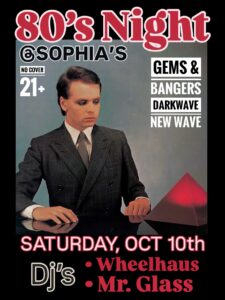
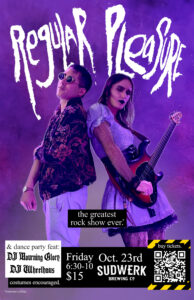
Upload your show flyer, or a photo of the band if you don’t have one. The form takes .jpg, .png, and .gif files. Use the original image file rather than a screenshot so it stays sharp, and only upload images you have permission to share.
Event Categories
Categories describe the kind of event. Choose the one that fits best:
- Live Music: bands and solo performers
- DJ: DJ sets and electronic music nights
- Open Mic: sign-up nights for performers
- Record Release: release shows and listening events
- Karaoke: sing-along nights where anyone can take the mic
- Dance: line dancing, flamenco, ballroom, and similar events
Event Tags
Tags cover genre and a few other details. Pick the genres that match the lineup. If three bands on the bill play three different styles, tag all three. If none of the genres fit, use Other. The remaining tags note age limits (All Ages, 18 and Over, 21 and Over) and free events.
Tags and categories decide where your event appears. Besides the main calendar, each one has its own page, such as jazz in Davis, so accurate tags help the right people find your show.
Venue Details
Many Davis venues are already in our system. Start typing in the Venue field, and if yours comes up, select it.
If it isn’t listed, you can add it. Fill in as much as you can: the name, street address, phone number, and website. Then email a photo of the venue to davismusicguide@gmail.com so we can complete its listing.
For house shows, include the address and say in the description whether it should stay private. We can list the show without the address and point people to you for details.
Event Website
Add a link where people can buy tickets, RSVP, or read more. A venue’s event page or an Instagram post about the show both work. It appears as a button on the listing.
Additional Fields
The Contact Email field is optional and isn’t published. We only use it if we have a question about your listing or need to check on a recurring series. You can also check the box to get the Davis Music Guide newsletter.
Event Cost
Enter the ticket price. For free events, enter 0, and add the Free tag as well. If you leave the field blank, no cost is shown on the listing.
Terms of Submission
The terms are short. They confirm the event is in Davis, that the details are accurate, and that you have permission to share the image. Check the box, complete the “I’m not a robot” check, and click Submit.
After You Submit
You’ll see a confirmation message on the page. We review each submission before it goes on the calendar, and once it’s approved, it appears on the calendar and on the pages for its category and tags.
If something changes or the event is canceled, let us know through our contact page so we can update the listing.
Ready to add your show? Head to the Submit an Event page.